
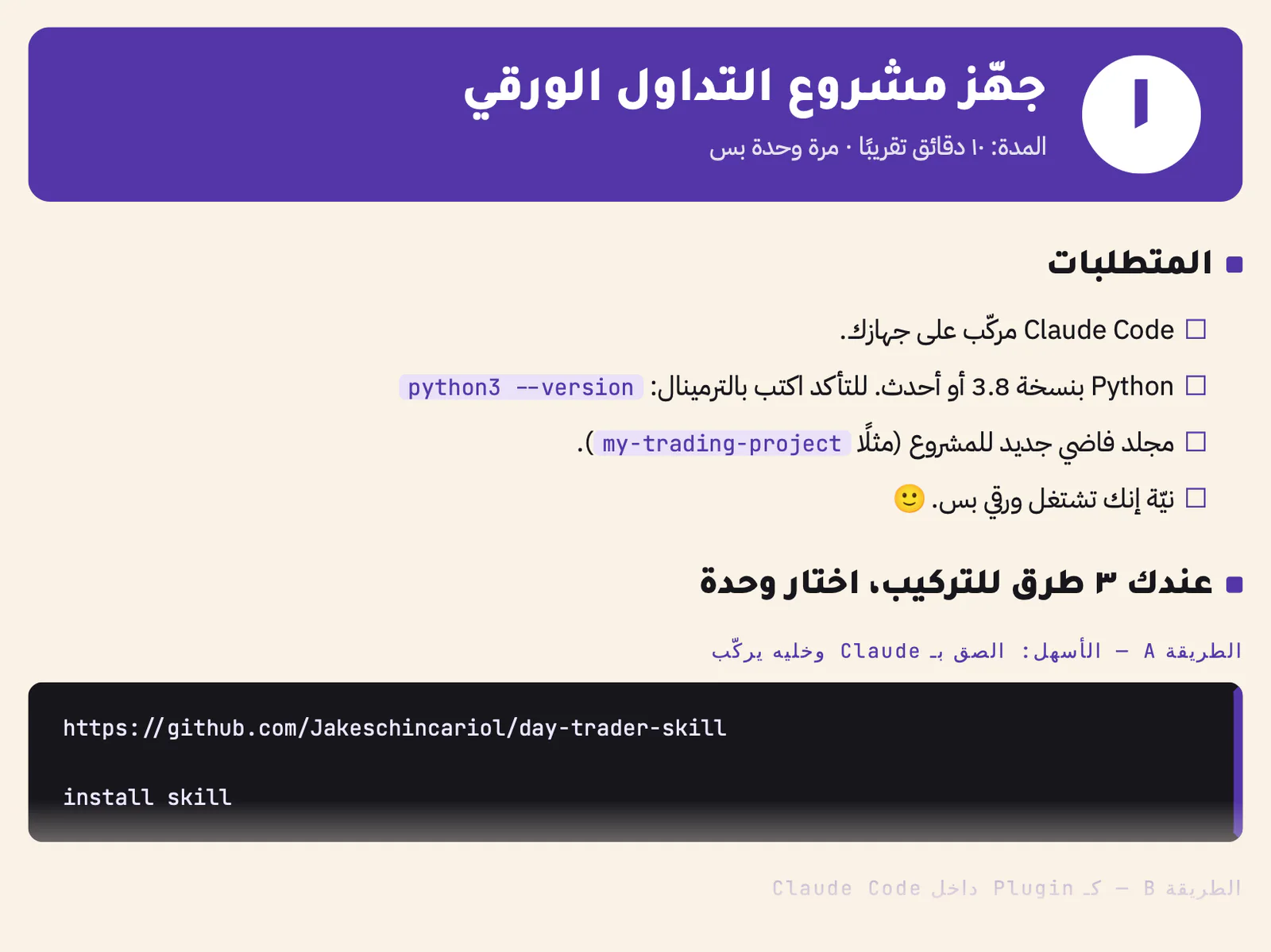
Set up the project
Claude Code, Python and an empty folder. Three ways to install the skills, a ready prompt that does it for you, and your rules set once: a $50 loss limit per trade, $150 a day, and paper = true. About 10 minutes.
ADMOVPractical guide · Claude Code / DIGITAL EDITION
Claude and 11 free skills work as one team: they check the signal, size the risk and replay the trade 10,000 times before any paper order. Explained step by step, with a complete Tesla example
Minimum $3
On paper first, before you risk a single dollar: no order goes out without your approval

What you get
pages
With more than 15 illustrationsAI agents
Claude itself plus 11 specialist skillssimulated paths
And how to read them honestlyreal money at risk
Paper trading from start to finishWhy paper first
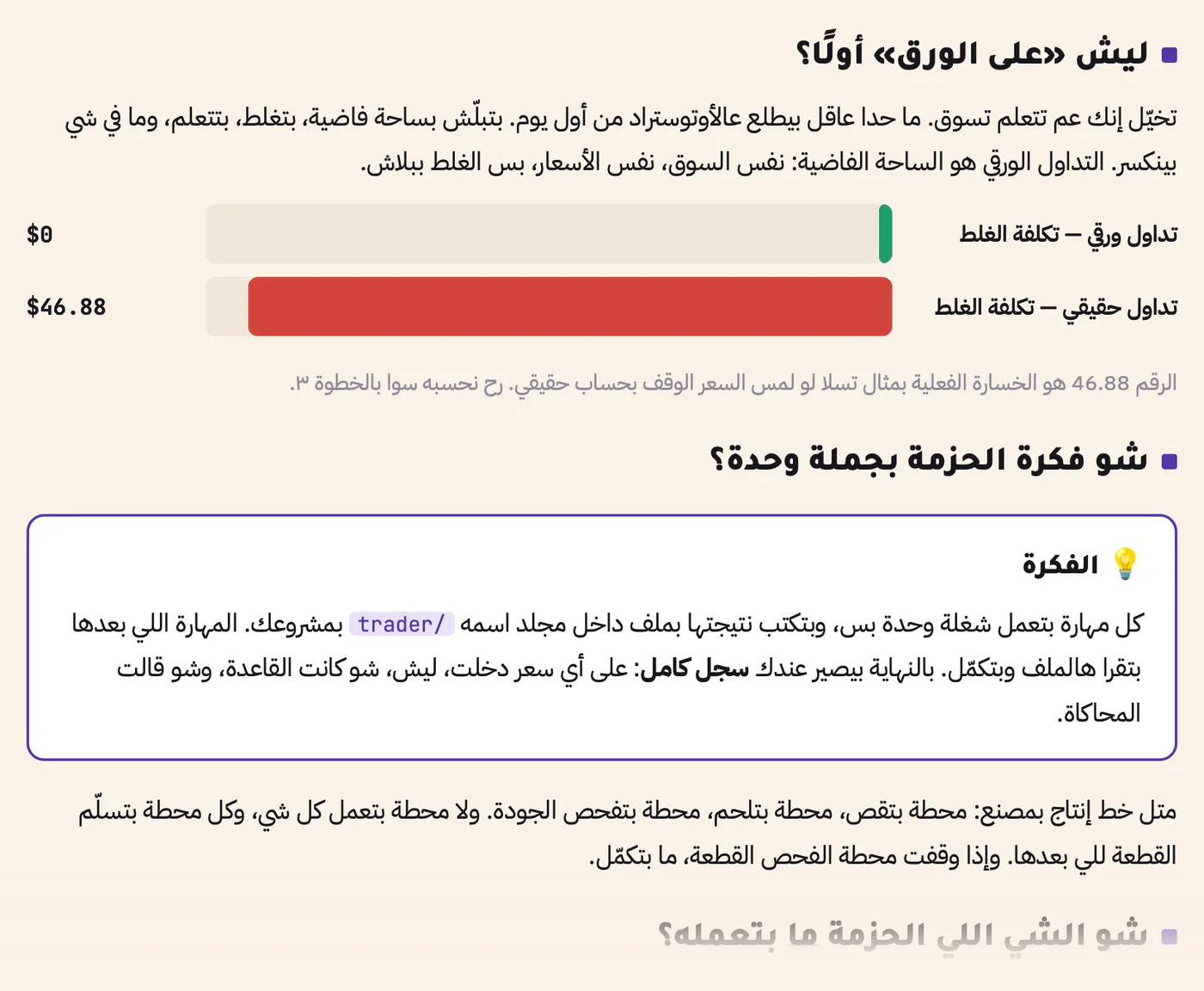
Nobody sensible learns to drive on the motorway. You start in an empty car park, make mistakes, learn, and nothing gets hurt. Paper trading is that car park: the same market and the same prices, but a mistake costs nothing.
In the guide's Tesla example, being wrong on a real account would have cost $46.88. On paper it costs $0.
Minimum $3
The team
Like a production line: one station cuts, one welds, one checks the quality, and a part that fails inspection goes no further
Scans thousands of charts for one pattern, such as a breakout of the opening range. A fishing net: it only gathers candidates.
Fetches the latest headlines and SEC filings for every stock on your list, and how far it has moved today.
Watches candle by candle and calls the entry only when a candle closes above the ceiling.
Sets the stop and the target before you enter, so you never decide under stress.
Replays the rest of the day 10,000 times, and tests the same rule on past days. A rehearsal before the show.
Works out how many shares fit your loss limit and budget, and writes one bracket order.
Checks every order against your rules and answers PASS or BLOCK, with the reason. The gatekeeper.
Shows the order in plain words and sends it only after your explicit yes. Paper by default.
Rings at the stop, at the target and at the 3:55 PM forced exit.
Reads the company's official SEC reports and sums up what changed in the numbers.
Reads the public disclosures of US Congress members' trades once they are published. A public archive, not inside information.
Claude Code, Python and an empty folder. Three ways to install the skills, a ready prompt that does it for you, and your rules set once: a $50 loss limit per trade, $150 a day, and paper = true. About 10 minutes.
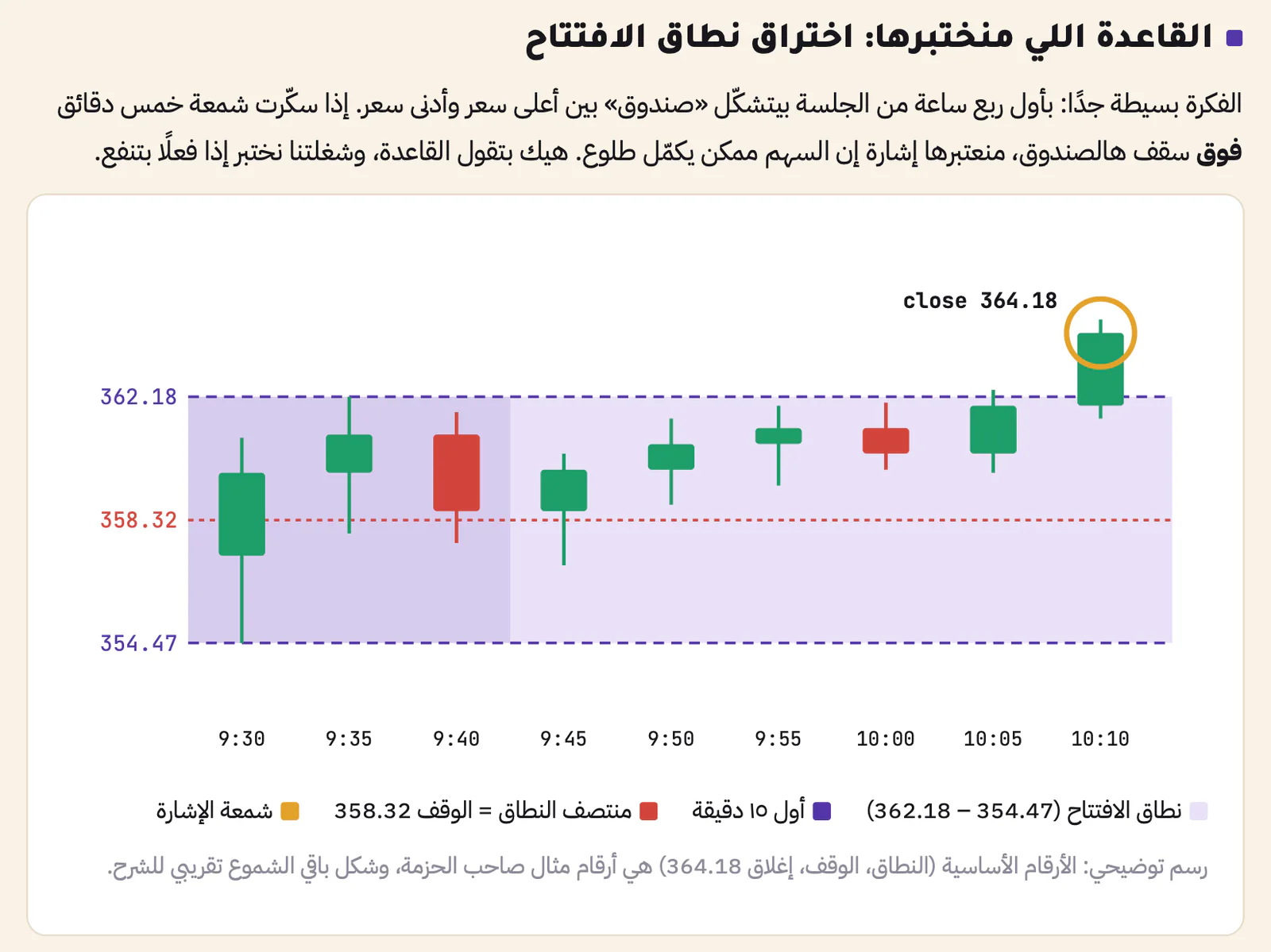
The opening range is the box the price draws in the first 15 minutes. On 19 October 2026, Tesla's 10:10 candle closed at 364.18, above the 362.18 ceiling. A close, not a touch: the guide shows why a touch is a false signal.
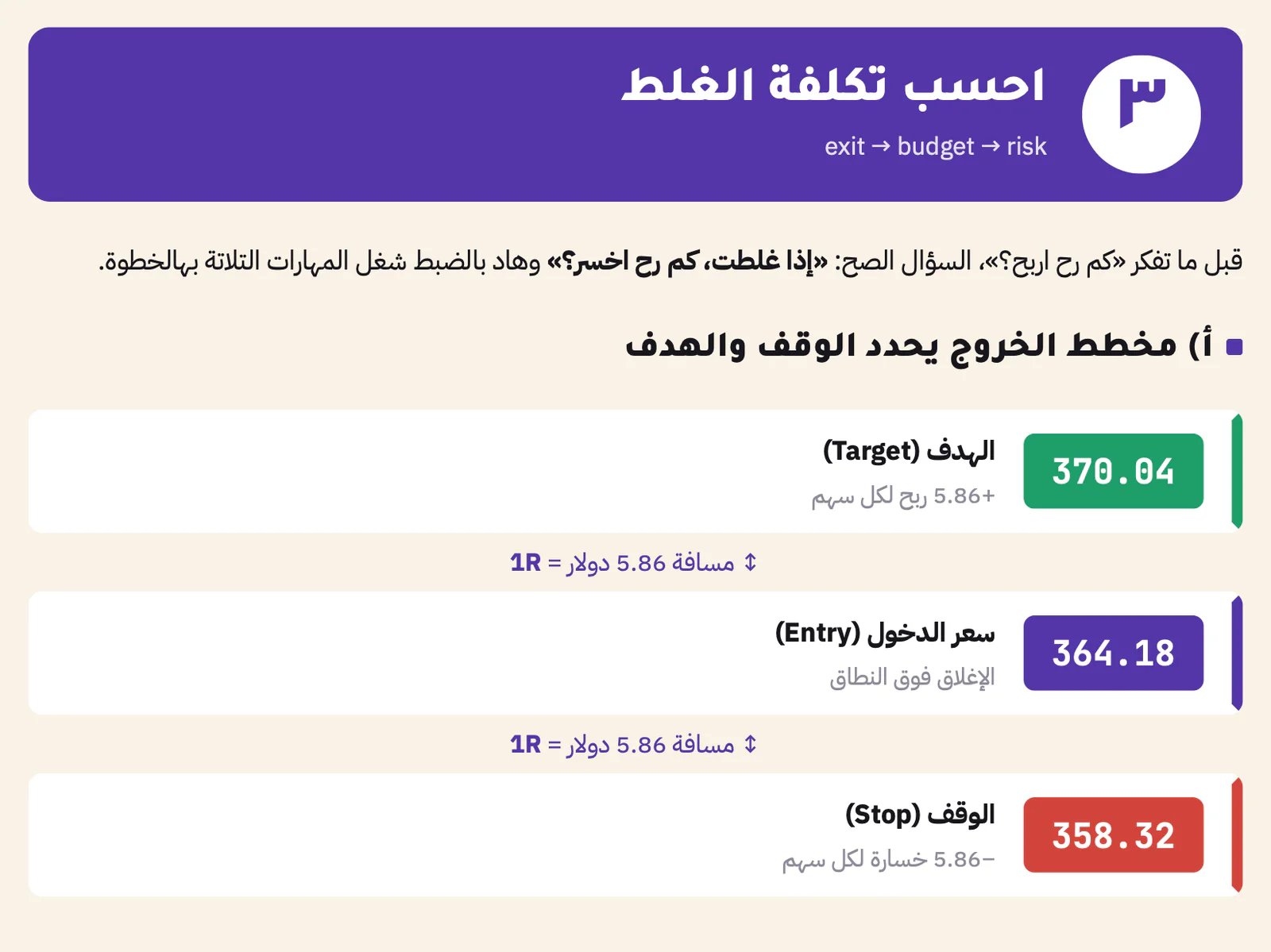
The stop goes at the middle of the range, 358.32, and the target sits 1R above the entry, at 370.04. With a $50 loss limit, the budget manager buys 8 shares: $46.88 at risk on a $5,000 paper account.
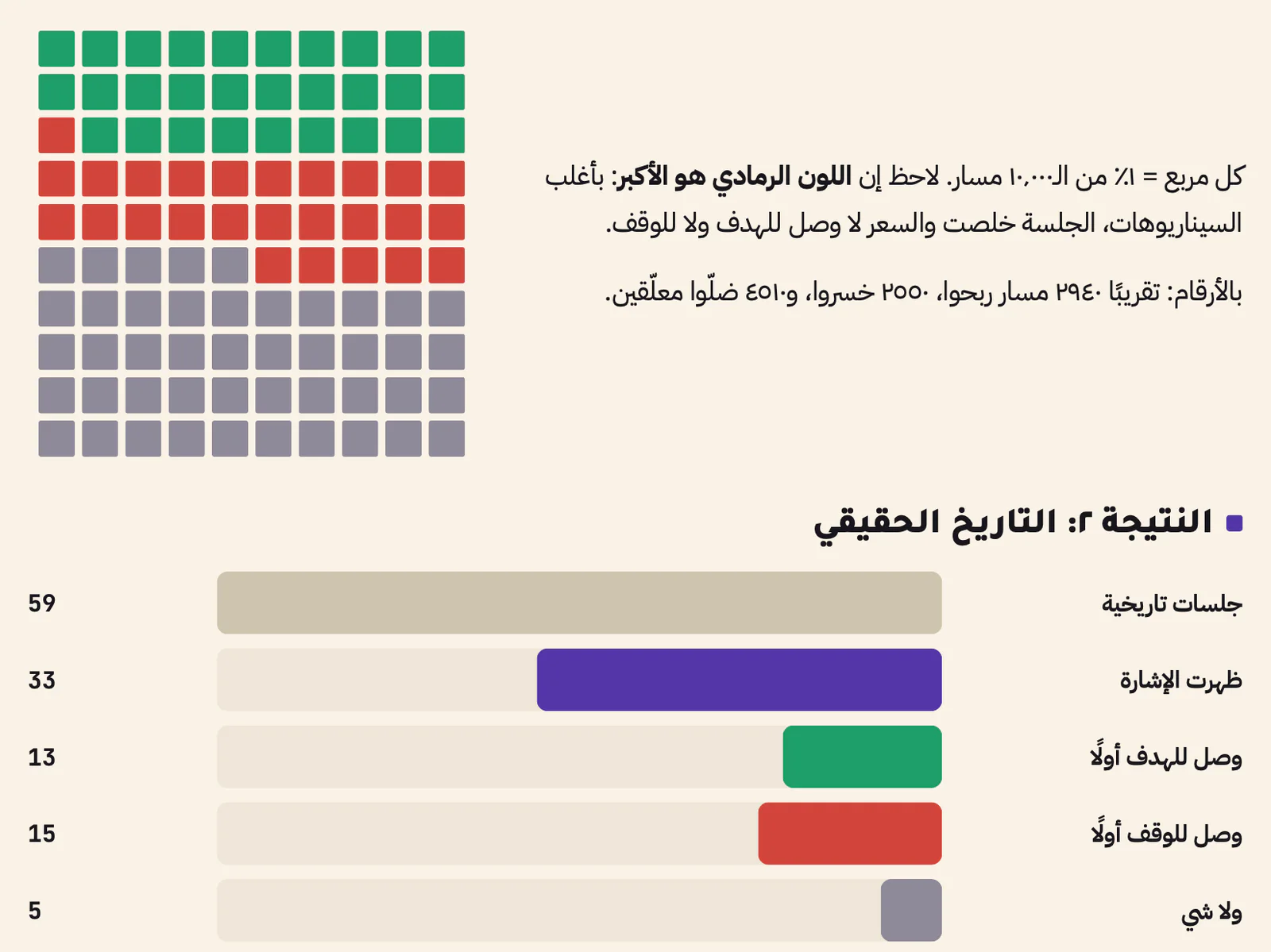
In 10,000 replays the target came first 29.4% of the time, the stop 25.5%, and 45.1% never decided. Among the decided cases that is 53.6% against a 50% break-even: close to a coin flip. Finding that out before you pay is the whole point.
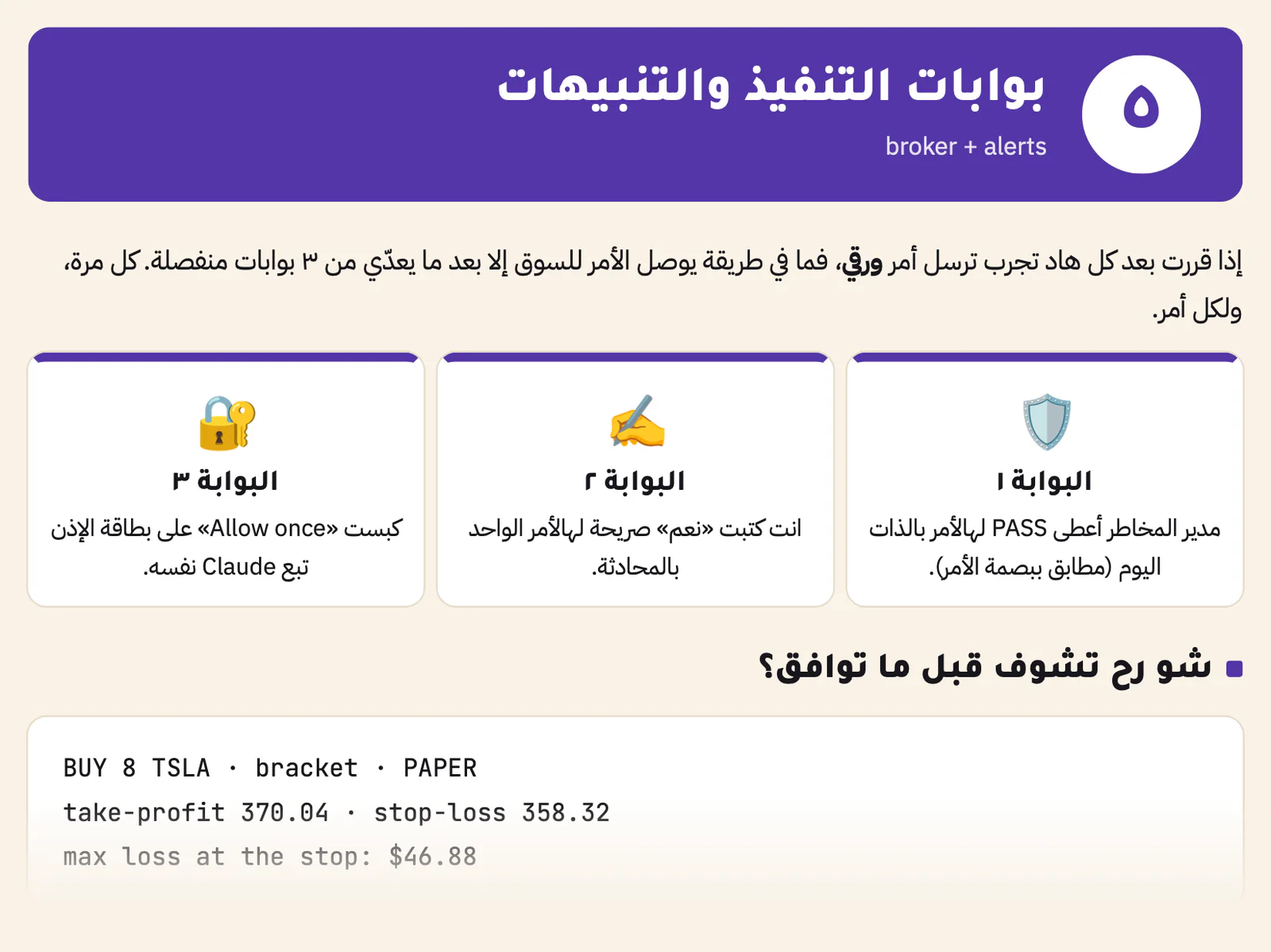
No order reaches the market unless the risk manager gave PASS today, you typed an explicit yes for that order, and you pressed Allow once. Then three alerts: the stop, the target and 3:55 PM.
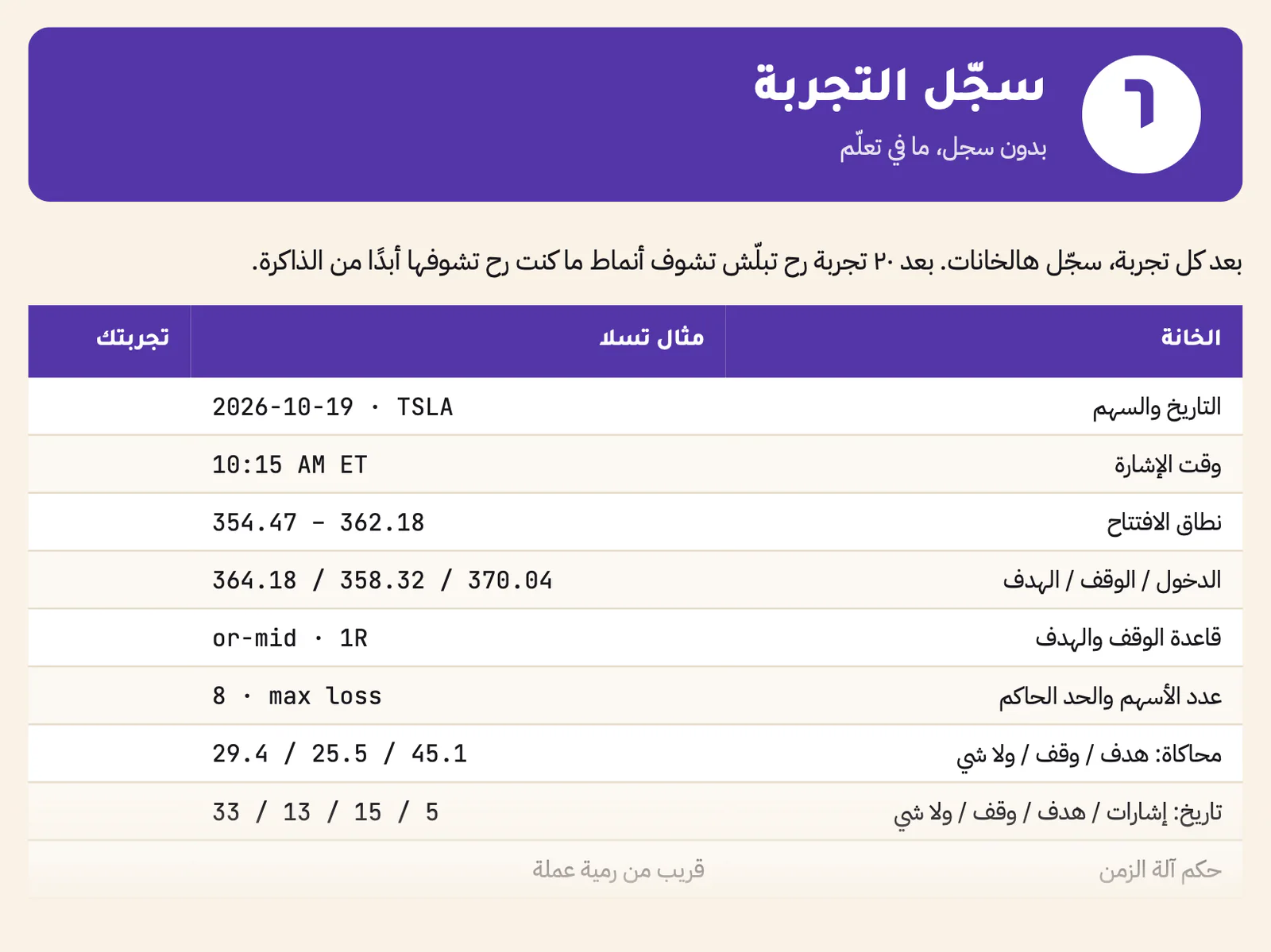
Date, signal time, entry, stop, target, shares, simulation, history, verdict and seed, in one table. After 20 experiments you start to see patterns you would never see from memory.
Save yourself weeks
| The right way | The beginner's mistake | |
|---|---|---|
| Entry | Wait for the candle to close above the ceiling | Entering at the first touch |
| Size | Loss limit ÷ stop distance | Based on how much you hope to make |
| Stop | Set before entry, never moved down | Moving it down as the price nears it |
| Simulation | What happened on similar days | Read as a forecast |
| Undecided trades | A forced exit time: 15:55 | Ignoring them |
| Judging a rule | Dozens of logged experiments first | From a single trade |
| Real money | Keep paper = true for a long time | Rushing to a real account |
Two of the 7 copy-ready prompts in the guide. Paste them into Claude Code inside your project: both stop by themselves before anything risky.
From step 1 of the guide. Run it in a new, empty project folder.
Install the skills bundle from this link inside this project:
https://github.com/Jakeschincariol/day-trader-skill
Copy the eleven skill folders (every folder whose name starts with trader-) into this path inside the project: .claude/skills/
Then show me the names of the skills you found, and make sure there are 11.
Work in paper mode only, and do not connect any broker.
A product sample you can copy and try.
Inside the guide
After you read it
Run the whole path on one stock every day, with no order at all. The goal is to understand every number.
Two weeks on the same rule and settings with every trade logged, then two weeks changing one variable, such as a 2R target instead of 1R.
Go through the whole log: what worked, what did not, and why. Even then, past results guarantee nothing.
No. The guide starts with the basic terms in plain words and explains every number. You will run commands in Claude Code, and the guide shows you each one.
Claude Code and Python 3 on your computer, and an empty project folder. A Claude account is not included in the purchase.
No. The Day Trader bundle by Jake Schincariol is free under the MIT licence, with no sign-up and no API key. You pay for this guide: the explanation, the illustrations and the worked example.
No. The skills read free, unofficial Yahoo data that can be delayed, which is why the guide always asks for the time of the last completed candle.
No. It is built for US stocks and ETFs, and it knows New York trading hours and holidays.
No. No skill can send an order without the three gates, and the default mode is paper.
No. It means the rule beat break-even on past days. Markets change, and a simulation does not predict.
Arabic, in a simple spoken style; the commands and file names are in English. After checkout the PDF is in your account library, ready to download.
No. It is an independent guide by ADMOV. Claude and Claude Code are Anthropic's products, and the skills are an open-source project by Jake Schincariol; neither is affiliated with this guide.
Access your files from your account.
PDF · a 30-page guide in Arabic with 15+ illustrations
E-books & guides
Pay what you want, from $3
Minimum $3
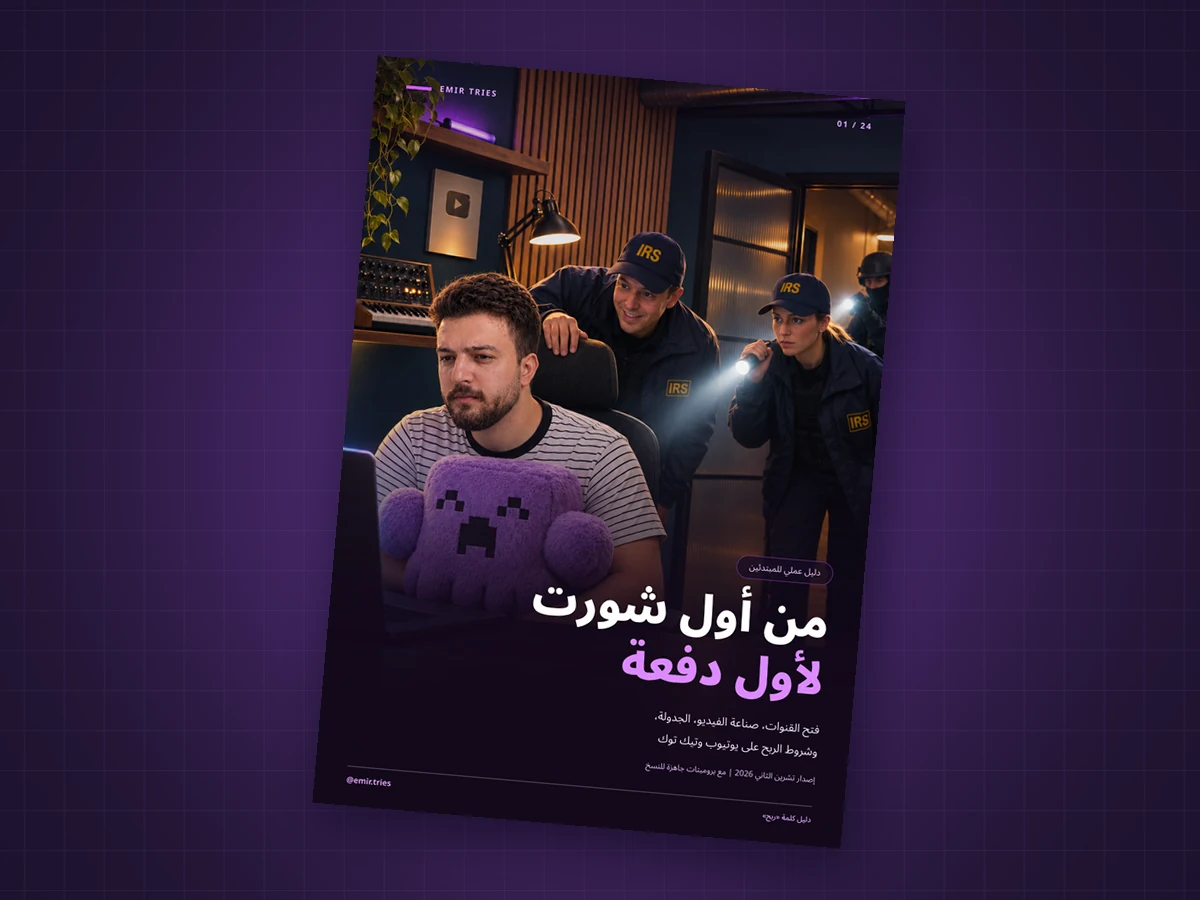
An Arabic guide to making and publishing your first short video, then understanding eligibility and payouts on YouTube and TikTok.
Arabic PDF • 24 pages
Build a six-bot team on Grok Bot, understand every decision, and test it on paper: no wallet, no real money
ZIP · 44-page PDF guide in Arabic + 10 prompt files + practice lab
ChatGPT Prompts
XLSX · 1.8 MB · 17,500+ prompts